Duplicate the image you are using, save the original if you need it and shrink the copy.
Rename the copy to a name you can find easily (that includes your name, like “joline_project1_1”), then open it in Preview on mac (or similar software on PC).
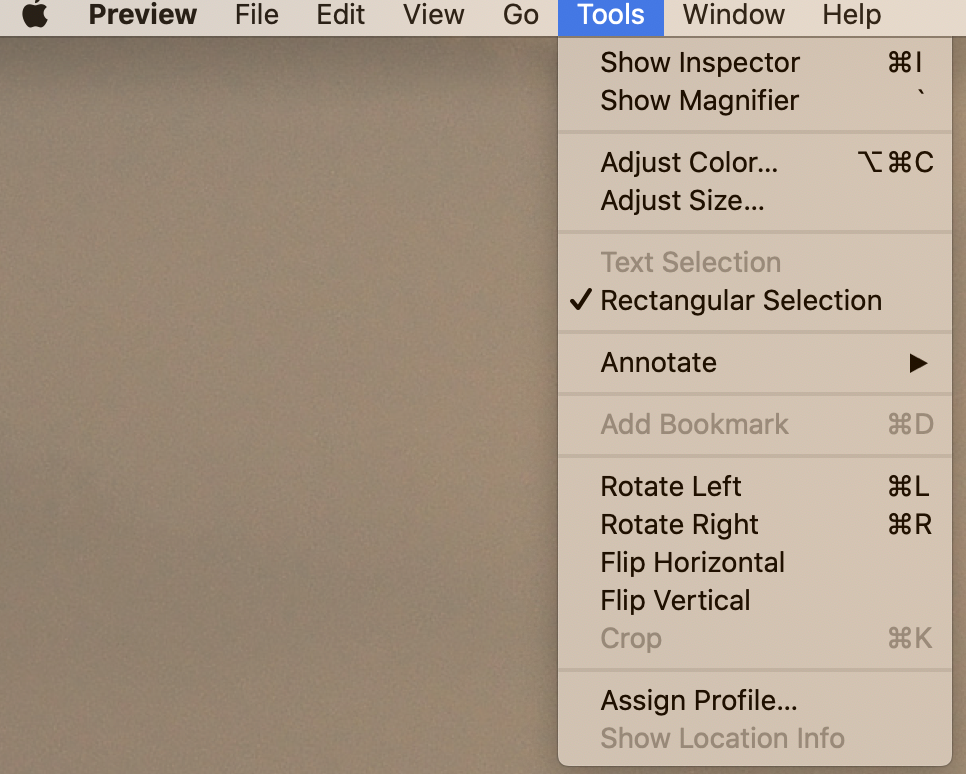
Select Adjust Size from the Tool Menu:
Then with both blue boxes clicked, and the dropdown next to width & height set to “pixels”, set the largest edge of your image to 1200 (the other will change automatically). Make sure the resolution is set to 72 pixels/in.
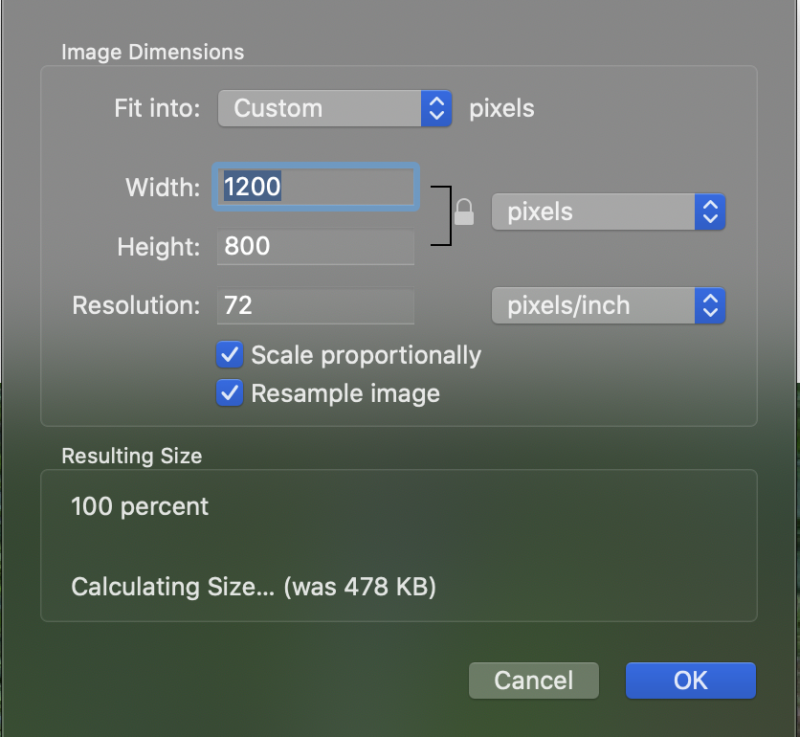
Save image–it is now ready to upload to your post.
You can use a gallery like the one below by selecting the Gallery option when you insert media into your post via “Add Media” button.