by Brenda Barron
Last updated: October 29, 2019
jetpack domain was triggered too early. This is usually an indicator for some code in the plugin or theme running too early. Translations should be loaded at the init action or later. Please see Debugging in WordPress for more information. (This message was added in version 6.7.0.) in /home/jolineblais/jolineblais.net/nmd340/wp-includes/functions.php on line 6260
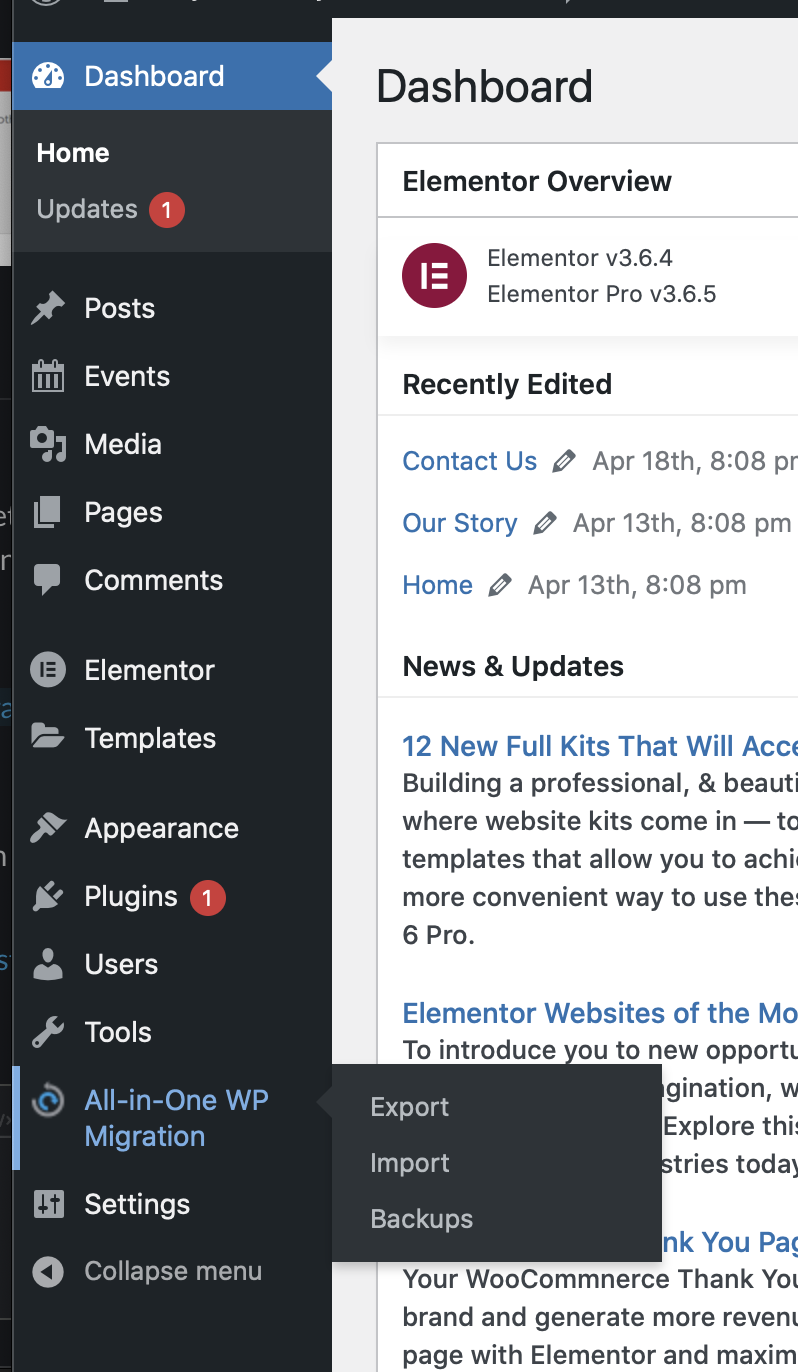
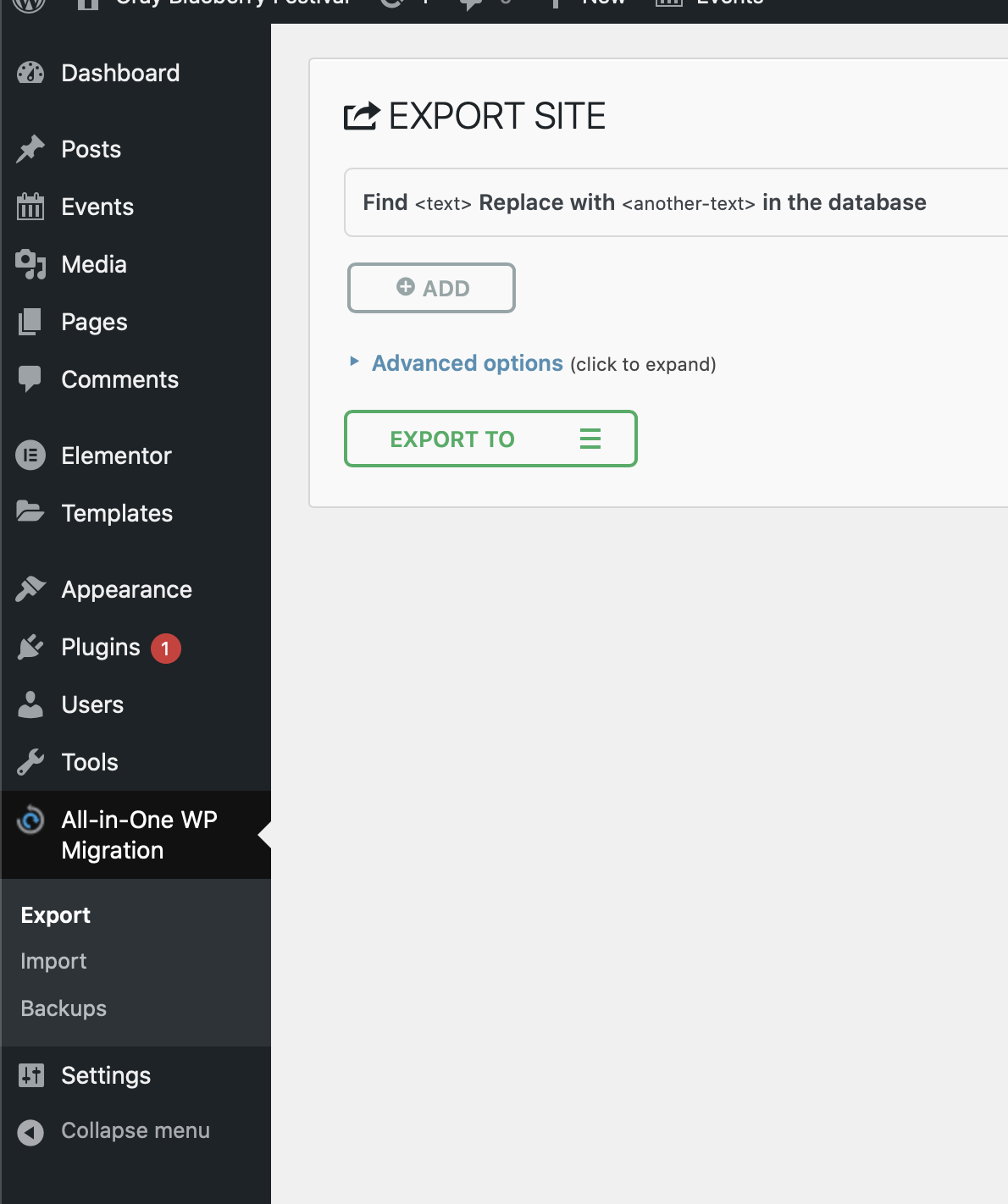
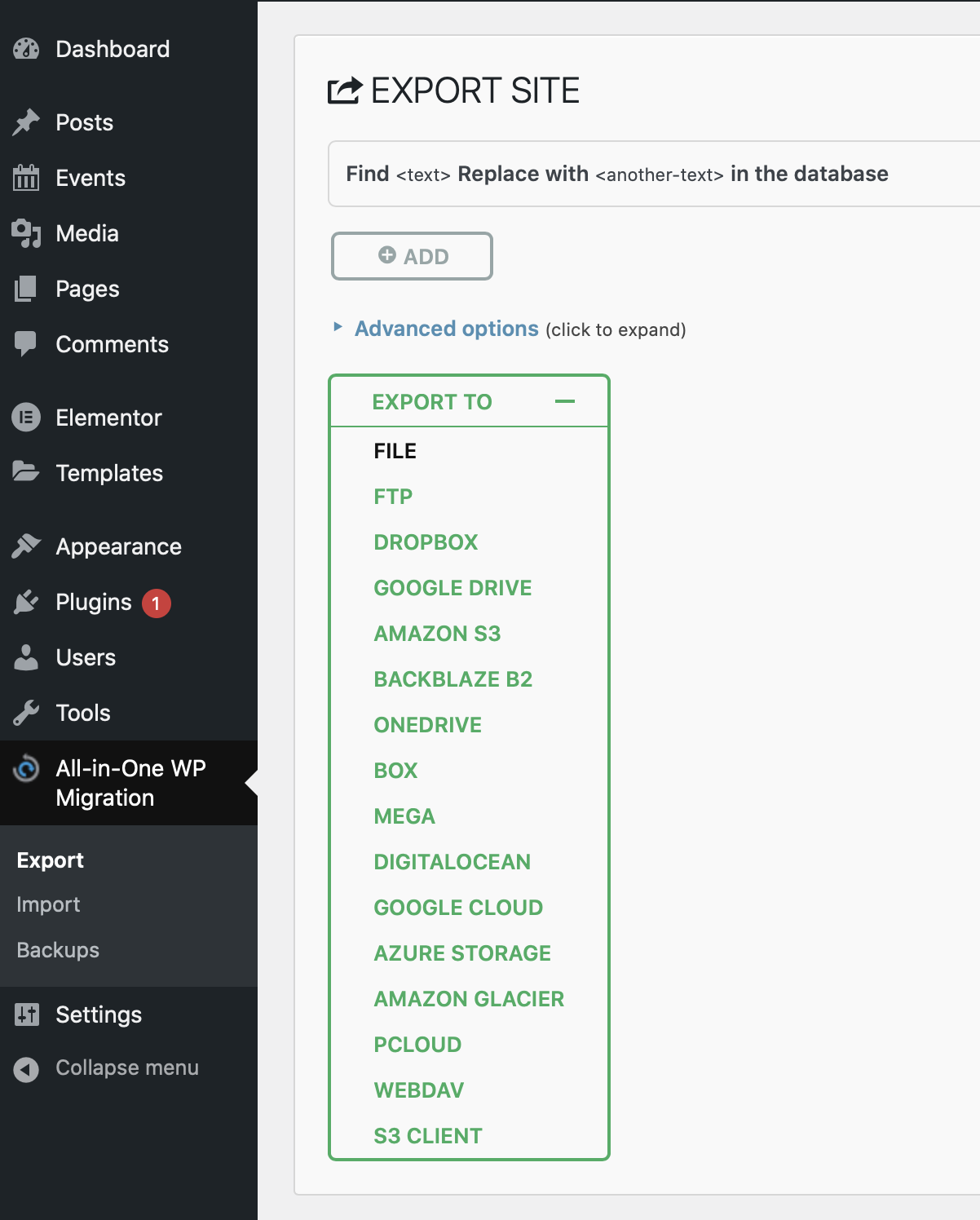
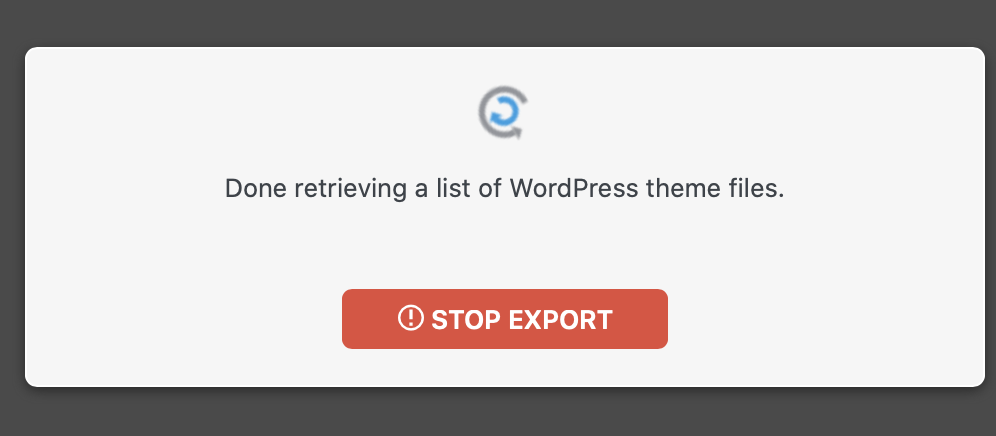
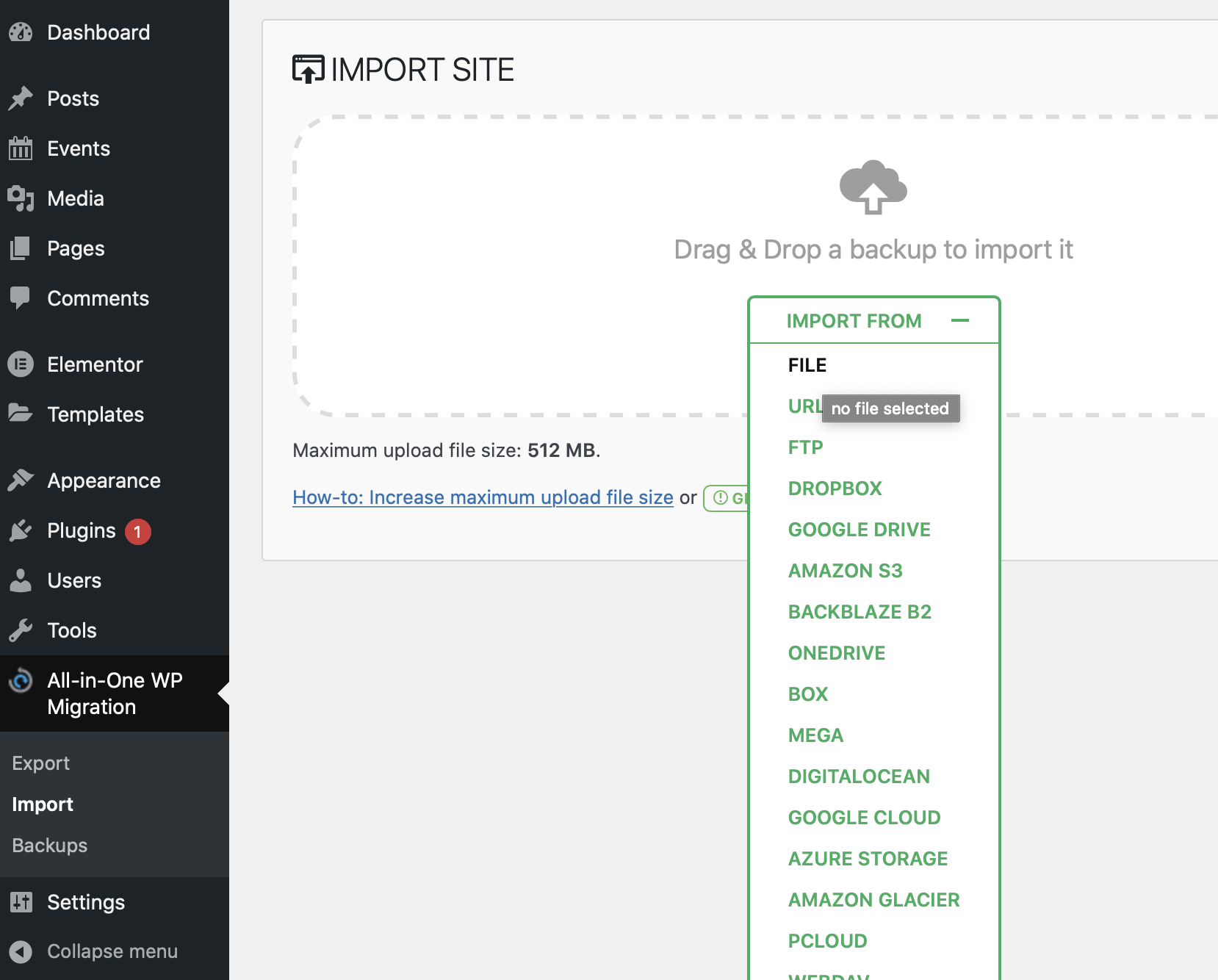
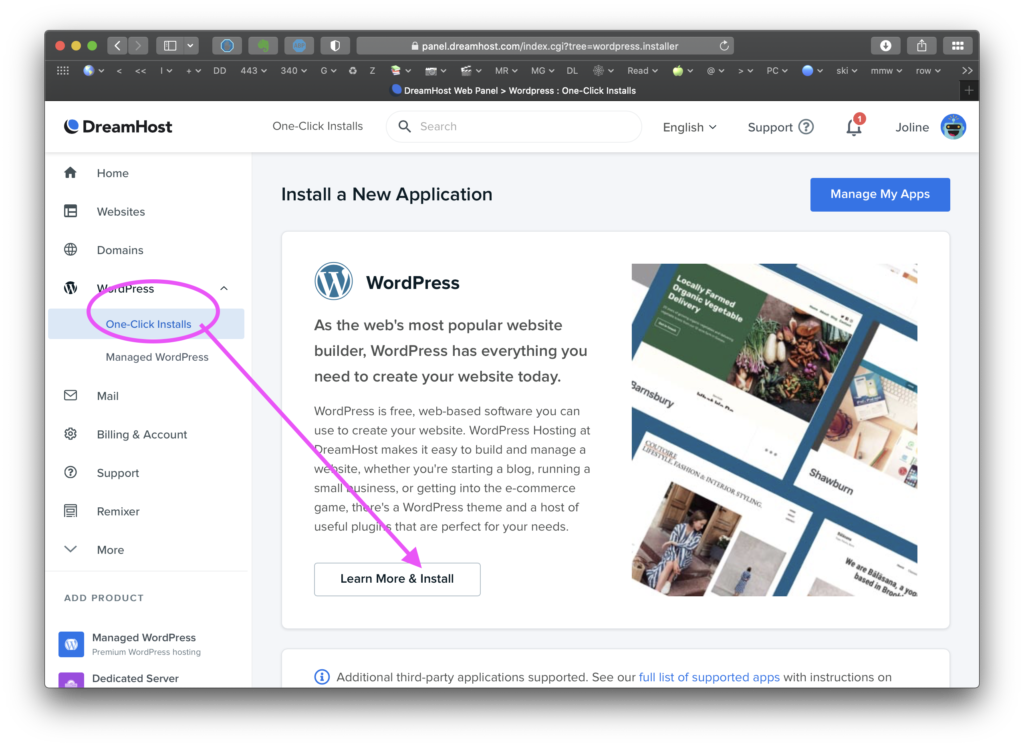
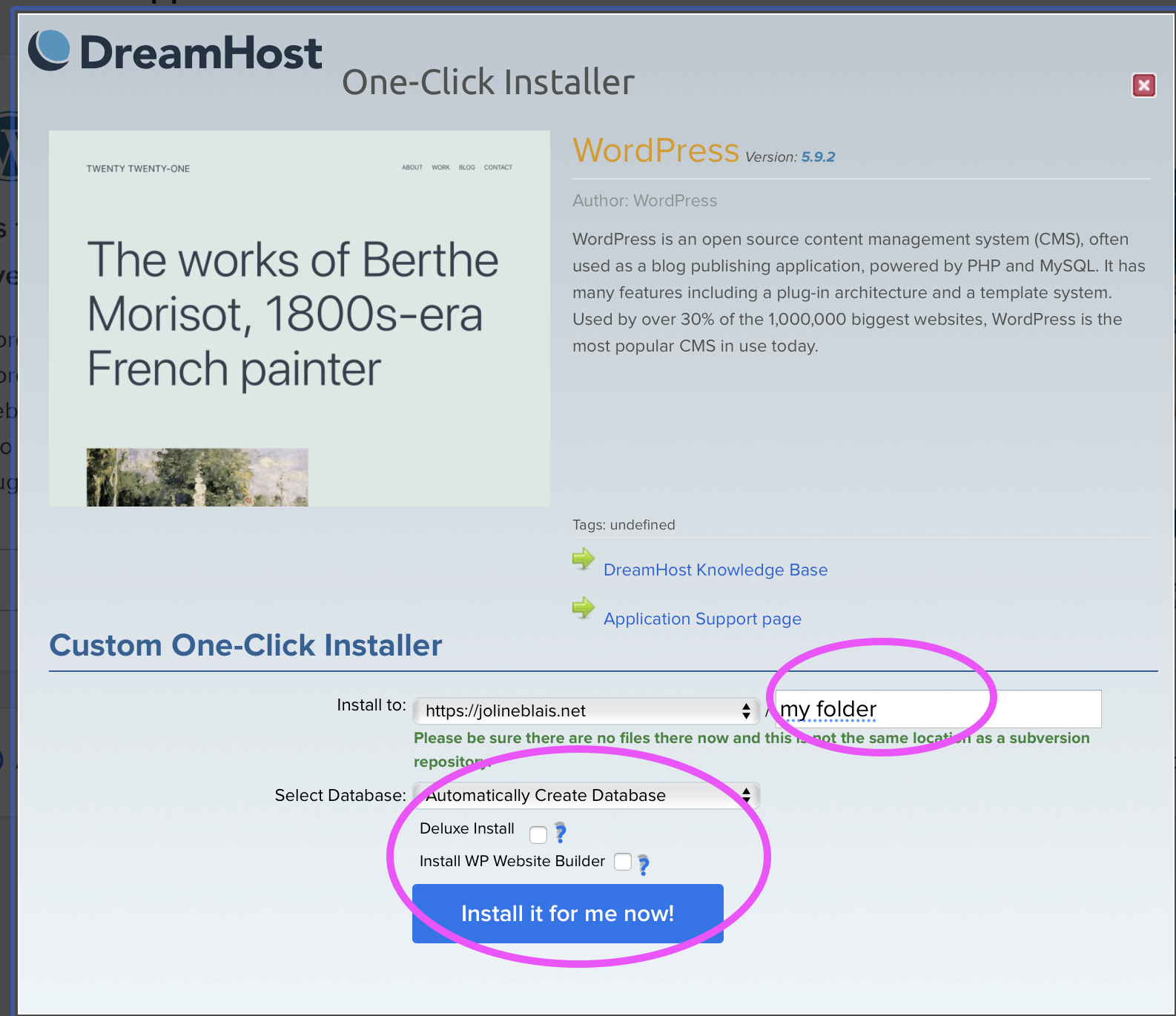
Client sites work the same way in steps 1 & 2, but you may not be importing any clones sites, AND you must use a new folder when you do the 0ne-click-install; ie not “portfolio” but maybe “wbbfestival” or whatever identifies your site–no caps, no spaces. You can even use the same email/password for the client site; as your teammates will also create their own when you add them as “Users” with Admin role to the client site
]]>For the client site we added images with links to the homepage, added ‘visit us’, ‘contact us’, and ‘follow us’ buttons with links on the homepage. Used CSS to edit site background pages.
For my personal site I edited menus and cleaned up the phrasing.
]]>If you keep track of and document your process, you can tell the story of this site in your own Portfolio!!! Before/after photo sliders are easy in WordPress…so get before/after images!!
Using “Quick Edit” from the All Posts are, be sure the “slugs” for each page are correct. ie they are “home” and “posts”, NOT “home-3” or “post-yourname” or whatever else they might have been called if you made a previous Page with an unusual title. Page Names/slugs CAN be changed, as long as there is not already a post/page with that same name. (in which case change THAT name, then return to your preferred page and update that name/slug).
You will use these to make a custom Home page–rather than having a blog of all your posts be the default home page.
If you did a deluxe install or an auto install of WordPress, you will get some extra potentially conflicting, and certainly confusing plug-ins and functions, as Dreamhost gives you a free page builder called BOLD GRID. Like Elementor, it is a page builder, but not quite as useful for our purposes. So IF you installed these by accident, you should remove them. Do this by 1) first deactivate the plugin. 2) Once you are sure they are the right ones, you can delete them. Deactivation should prevent conflicts, but you’ll want a CLEAN site without extras, so in the long term they should be removed if not used.
Go to the Plug-ins area and remove any BOLDGRID plugins. That will be all plugins [except Total Upkeep–a backup plugin] that list the creator as boldgrid, such as:
Go to the Plug-ins area and Add New. You can type the following names (or part of them) in the search area to pull up the plugin you want. Install, then Activate each plugin.
And if you dont already have these:
Install the Following two themes–both are highly configurable and work with starter templates, with minor difference listed below; Install both, but Activate ONLY one:
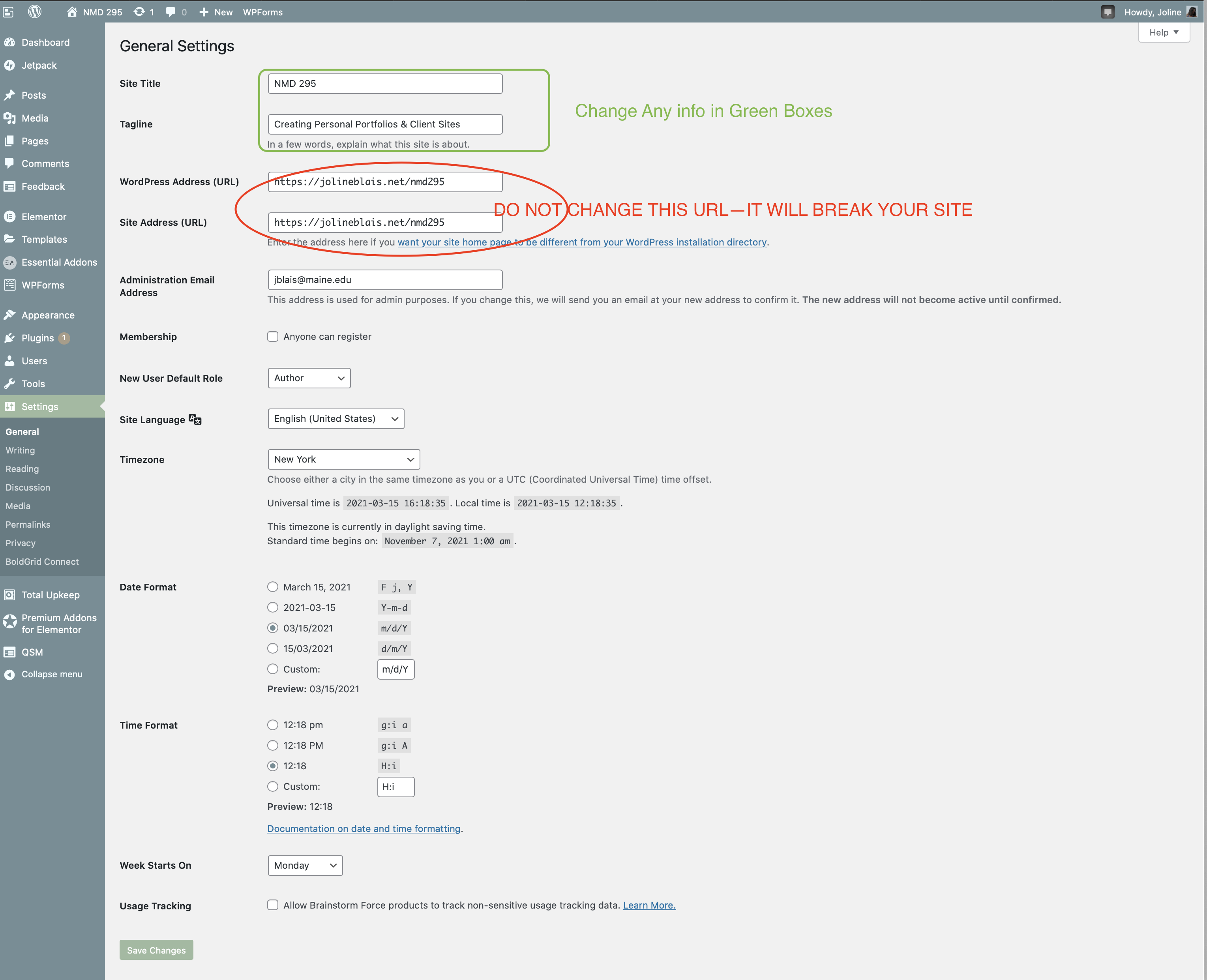
Go to the Settings are in the Dashboard and adjust all the following settings [click on each image for larger view]:
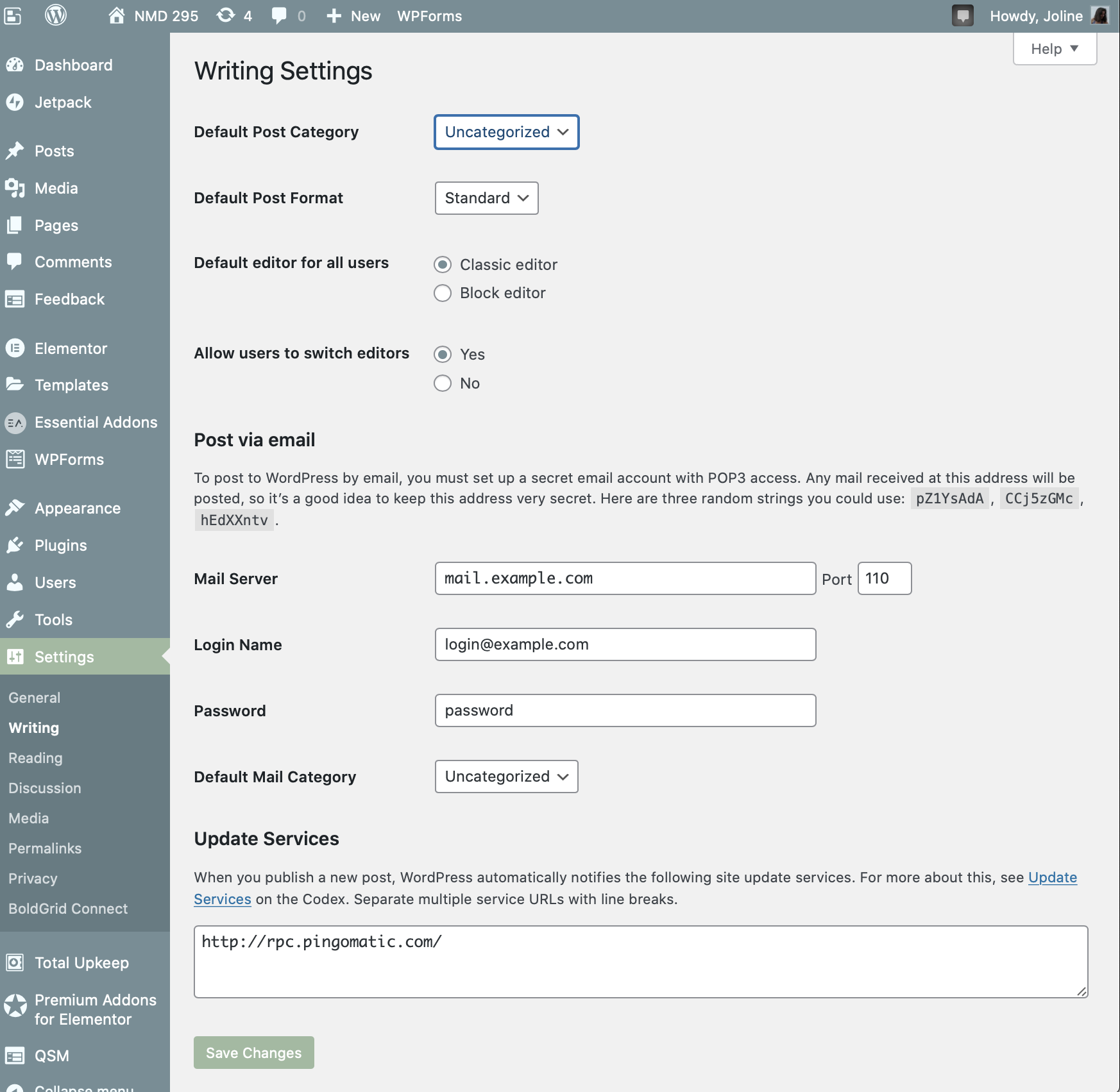
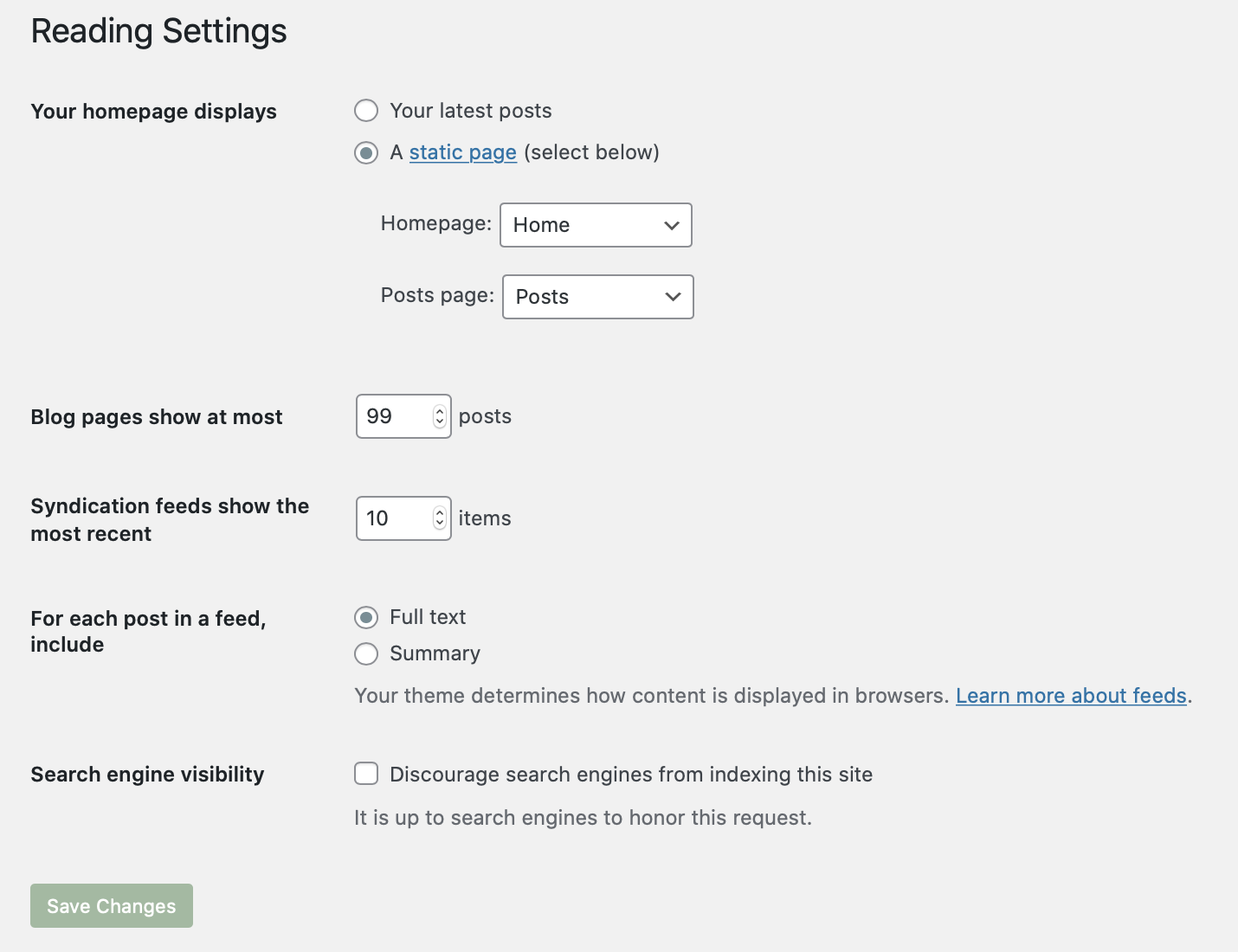
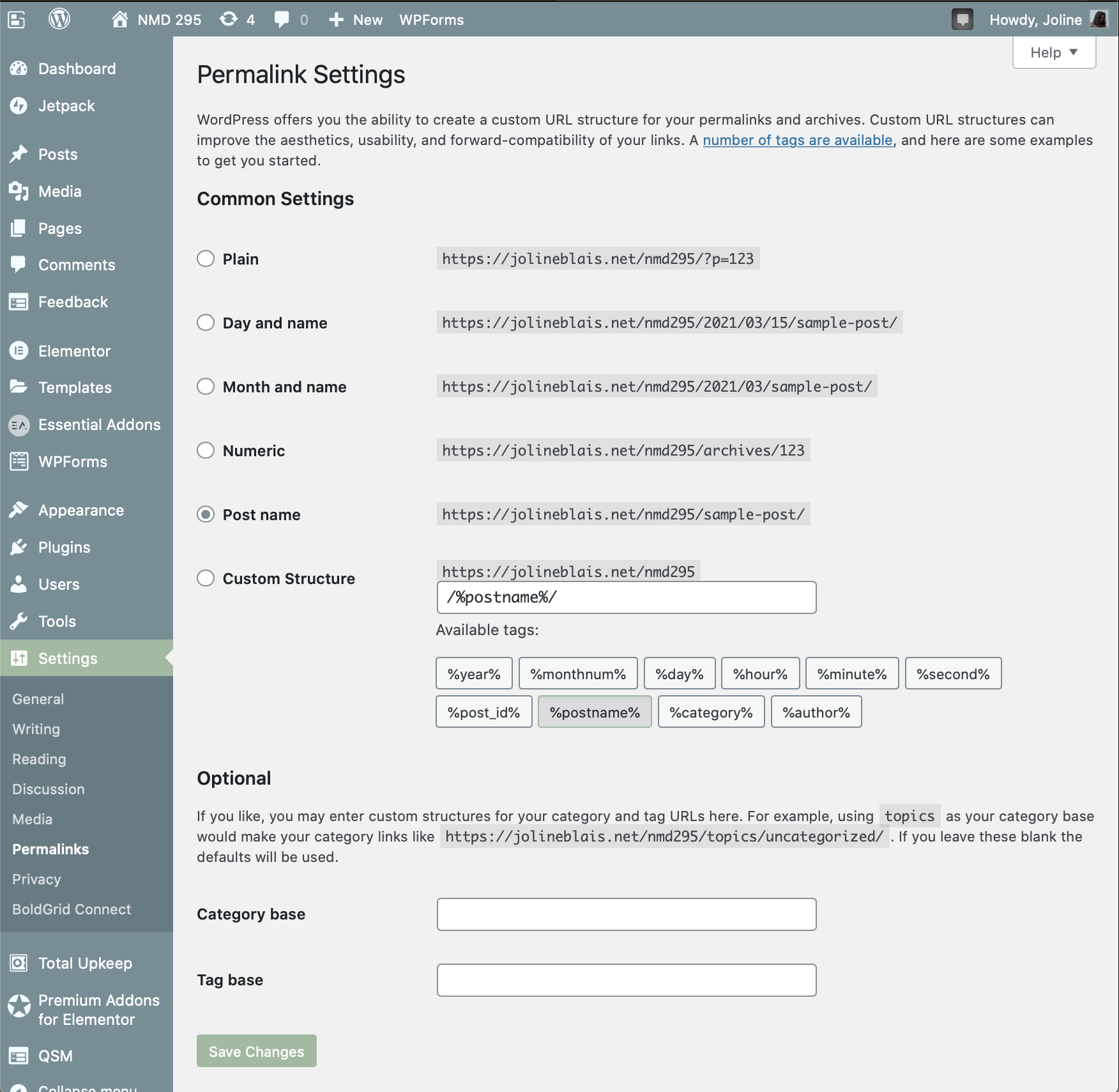
For super fast site build for a NEW site, and possibly some new sites…Use Starter Templates to import a whole site. This will import 3-6 pages for you, and you can then customize the menu, and use whichever pages you want (you can re-name, duplicate and copy pages). The pages that are unused will NOT show up if you do not have a link or menu item that links to them. So they stay invisible. They can be deleted when site is complete if no longer needed.
In Dashboard, go to Appearance–>Starter Templates. If prompted, select Elementor [if not, it may already be set]. Then, select ALL–>Free in the dropdown to get only free templates. Then scroll down page to find a suitable template. Click on it to see ALL the pages in the template. You can click on each page to view it. If you want 1 page, save & install that one; If you want ALL the pages, you can select “Import/Save” Entire Site.
Then 1) view the site, 2) go see the pages in the dashboard in Pages–>All pages, so you can see each page, 3)Create a new menu so you can configure it, and set in as your primary menu, 4) now go customize any and all pages that would work for your client.
This is a quick way to show client a “look” for a site. If each of you has a client WordPress site; you could create 3 options, and send your client all three URLs to view alt designs…
Start with the following Site-wide setting that you access from Elementor on your Home Page:
If your client has a previous WordPress site, you can ask them to export all their data from their dashboard. You can do a screen share with them and walk them through it, like we did for your WordPress.com sites…
If not, you will need to get the content from your client–text, images, video etc.
Reiterate Layout/Content/Tweaking until you get a coherent, functional, beautiful, content rich site!!
]]>

How can you hook your reader? Try something unusual or unexpected. You can use an image or font size or style to add emphasis.
Consider including the essentials: 1. Who you are
2. What you do
3. Why you do it
No need to specify that this is your About page. It’s redundant and unnecessry.
Start with your name, situation (student/job) and location, and a favorite activity or hobby—what makes you distinctive.
Be bold and also humble about your achievements—basically be honest and human.
What’s your story? Where do you come from? Why are you doing what you are doing?
Add picture of yourself – A photo of your face can create connect and make you appear trustworthy.
If you have related video, use it. You can easily embed a youtube video in WordPress, just paste the link in the body of the post.
Consider a few things that make you offbeat, odd, different from the rest and thus human. Revealing both strengths and vulnerabilities gives you cred.
A call-to-action asks viewers to do something: look at your epic portfolio, download your health tips, see your recent character sketches, etc. They invite a deeper look, or an action. You can use a photo/button for this.
Give your viewers away to contact you – this can be via a contact form or social media. Personal contact info works if your site is small, but if it’s a social site or it roads, you may want a separate site email and/or social media accounts.
Last updated: October 29, 2019
WordPress is a global phenomenon that has come a long way since the release of the first version in 2003. The community has grown considerably, and that growth doesn’t seem to be slowing down.
WordPress is now the most dominant CMS on the market — standing head and shoulders above the competition with a good chunk of the marketshare.
The sheer size and scope of the impact WordPress has had on the internet is hard to imagine. That’s why we have collected some shocking WordPress stats to help put it all into perspective.
Obviously that isn’t true because WordPress started in 2003, and you know, computers haven’t existed that long. It’s hard to tell just how many human hours it took to create the WordPress core, but that didn’t stop the people at Open Hub from trying.
According to Open Hub’s Project Cost Calculator, WordPress took an estimated effort of over 112 person-years. This is based off of 423,759 lines of code, with an estimated cost of over $6 million to fund a project of this size.
Companies such as W3Tech and Builtwith provide useful reports on internet usage using big data. These numbers may not be pinpoint accurate, but they do provide a valuable glimpse into today’s web trends.
According to W3techs, WordPress has 58.55% of the CMS marketshare — more than all other systems (eg, Drupal, Joomla) combined.
Another chart provided by BuiltWith, attributes 51% of the market share to WordPress. While the numbers may vary depending on the data collected, one thing is certain — WordPress is the top CMS on the planet.
Considering that the number of total active websites is estimated at over 172 million according to a survey published by netcraft, that means that around 75,000,000 websites are using WordPress right now — with around half of those sites (37,500,000) being hosted on the WordPress.com shared hosting installation. This means that around 20% of all self-hosted websites use WordPress, which is still huge.
This figure is only for the latest version of WordPress, “Vaughn.” You can checkout the download counter at WordPress.org to see how many times the latest version has been downloaded.
Keep in mind that these are the download numbers, not the number of active WordPress websites. If we total that number with the download count for the 30 previous versions of WordPress, the number comes out to over 196 million downloads.
The WordPress platform has evolved into a well-oiled machine thanks to the robust community.
Local communities organize WordCamps for users of all skill levels. So far there are 635 WordCamps, in 68 cities across the globe — mostly in the USA, Canada, Ireland, Portugal, Spain, Austria, Italy, Mexico, and South Africa.
It’s worth mentioning that 65 of the WordCamps took place outside of the US in the year 2016 alone. Check the official WordCamp Schedule to find a meetup near you. Below are some fresh stats from the 2016 State of the Word slideshow :
Internationalization and localization, abbreviated as i18n and l10n, is the process of translating software into another language.
The fact that WordPress is accessible in so many languages is one of the biggest things that set it apart from other platforms.
The WordPress Polyglots team is responsible for localizing WordPress — this includes the WordPress core, plugins, and themes.
WordPress has translations for over 160 languages, but only 65 are completely finished.
The latest version of WordPress (4.7) is written in 52 languages, which includes the 12 most popular languages of the world: Chinese, English, Portugese, Spanish, Arabic, French, Spanish, Urdu, Russian, Bengali, German, and Japanese.
The Polyglots team is growing steadily, and the future looks bright for the translation of WordPress into all the world’s leading languages.
WordPress makes it easy to translate a website into a different language. Currently, the English language version of WordPress is at the top of the list with 71% of WordPress blogs. Next is Spanish (4.7%), Indonesian (2.4%), and Portugese (2.3%).
Some of the most successful companies in the world prefer WordPress as their CMS, including: TED, NBC, CNN, TechCrunch, People magazine, the NFL, Best Buy, CBS Radio, and UPS. These are just a few of the Fortune 500 companiespowered by WordPress.
Like a river, WordPress is in a constant state of motion. This live map of activity across WordPress.com lets you see comments, posts, and likes in real time.
To get a better idea of how much information is being read, published, and managed — check out these WordPress stats. Here you can find stats on files uploaded, posts, pages read, and much more.
Can WordPress handle it? The answer is yes, WordPress handles an enormous amount of traffic on a daily basis.
The record for the most unique page views in a day on a WordPress website in 2016 is 187 million! This was of course on election day. WordPress.com also boasts an Alexa global website ranking of 54.
WordPress users publish 41.7 million new posts each month
Communication is the currency of the internet, and WordPress users are a spendy bunch. Users leave 60.5 million comments per month.
Once again…that number is: One hundred seventeen billion, nine hundred thirty-night million, one hundred forty-eight thousand, three hundred fifty-seven. It’s quite a mouthful, and certainly more words than one person can utter in a lifetime.
There is a lot of reading and writing going on via WordPress. Over 400 million viewers looked at 20+ billion pages per month this past year.
As one of the largest open-source projects in the world, WordPress has a large number of contributors. The WordPress developer team has had over 70 developers contribute to the WordPress core, which contains over 430,000 lines of code.
Data collected from 2004-present comparing keyword searches for popular CMSs by Google Trends clearly indicates that WordPress related keywords rank higher among search engine queries than competitors such as Drupal, Blogger, and Sharepoint. If you want to draw traffic, write about WordPress.
WordPress is able to solve many of the problems businesses face online. It’s a safe bet that serious skills in WordPress can translate into a lucrative career opportunity.
There is a high demand for skilled freelancers, contractors, and direct hires. A WordPress developer can make anywhere from $30 to $200 per hour according Mark Jaquith, a WordPress core contributor.
There are a number of jobs for a WordPress professional including:
To get an idea of what people charge for WordPress services, you can visit the Envato Market’s WordPress section, or check out the WordPress freelancers at Upwork.
You can find these free themes in the WordPress theme directory. There are also many themes available for purchase from 3rd party vendors. One of the largest commercial theme repositories is Themeforest, which has 8,600+ themes for sale.
WordPress makes things easy because it automates many tedious tasks involved in web publishing. The Famous 5 Minute Install allows just about anyone to launch a WordPress site with just a few clicks — to the dismay of underemployed developers everywhere.
Plugins extend the functionality of the WordPress core. You can find validated plugins in the official WordPress Plugin Directory.
They have been downloaded over 1.5 billion times. That’s more than enough downloads for every single human being in China. These are just the plugins from WordPress.org. There are thousands of other 3rd party plugins available for free or purchase, too.
WooCommerce, the most popular ecommerce software for WordPress, currently runs over 1.5 million active online stores. According to Builtwith, WooCommerce has a 10% share of the ecommerce technology market.
Jetpack is an essential WordPress plugin loaded with features. This free plugin can help you accomplish a variety of tasks involving things like traffic insight, social media integration, backups, and security. This past year alone Jetpack helped WordPress users:
Akismet protects your comment section from spam, bots, and all sorts of bad news on the internet. With over 1 million active installs, Akismet successfully prevented 23 billion brute force attacks, too.
WordPress only has 532 employees (including 12 people named Michael) spread out between 51 different countries. This fact may not seem so strange until you consider their competitors.
WordPress must be doing something right if they can handle 175 million unique visitors with only a fraction of the employees that other big internet companies have.
It may certainly have something to do with the fact that WordPress is such a large open-source project, and that their workforce is 100% remote.
One of the most attractive aspects of using WordPress is the freedom it affords the user.
WordPress promotes freedom of speech as well as the freedom to use, modify, and distribute the software in any manner you please. WordPress.com works hard to carefully enforce legitimate copyright claims, while pushing back against claims that stifle creativity or freedom of speech.
From Jan 1, 2014 to June 30, 2016 there have been 21,052 DMCA takedown notices. Some or all of the content has been removed on 60% of those websites. WordPress has compiled a short list of improper takedown demands in their Transparency report.
From July 1, 2013 to June 30, 2016, WordPress received 361 information requests from governments and law enforcement agencies. Of the 499 sites specified, WordPress released information on 35% of those. WordPress seems to be much more transparent about issues like this compared to other CMSs.
These shocking stats are a testament to the impact that this publishing platform has had on web standards, usability, and the internet at large. WordPress has spread like wildfire in the past decade, and the community is thriving. Now, do you know any other amazing stats we failed to mention?
We have more guides, tutorials, and infographics related to WordPress: